![eligo_logo-bicolor-1.png]](https://support.eligo.social/hs-fs/hubfs/eligo_logo-bicolor-1.png?height=38&name=eligo_logo-bicolor-1.png)
1. Link to share with voters
To retrieve the voting area link, click on the Settings ⚙️ button:
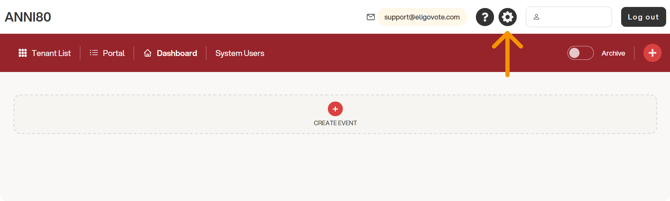
Then, from the Login page tab, click the “Copy link” button.
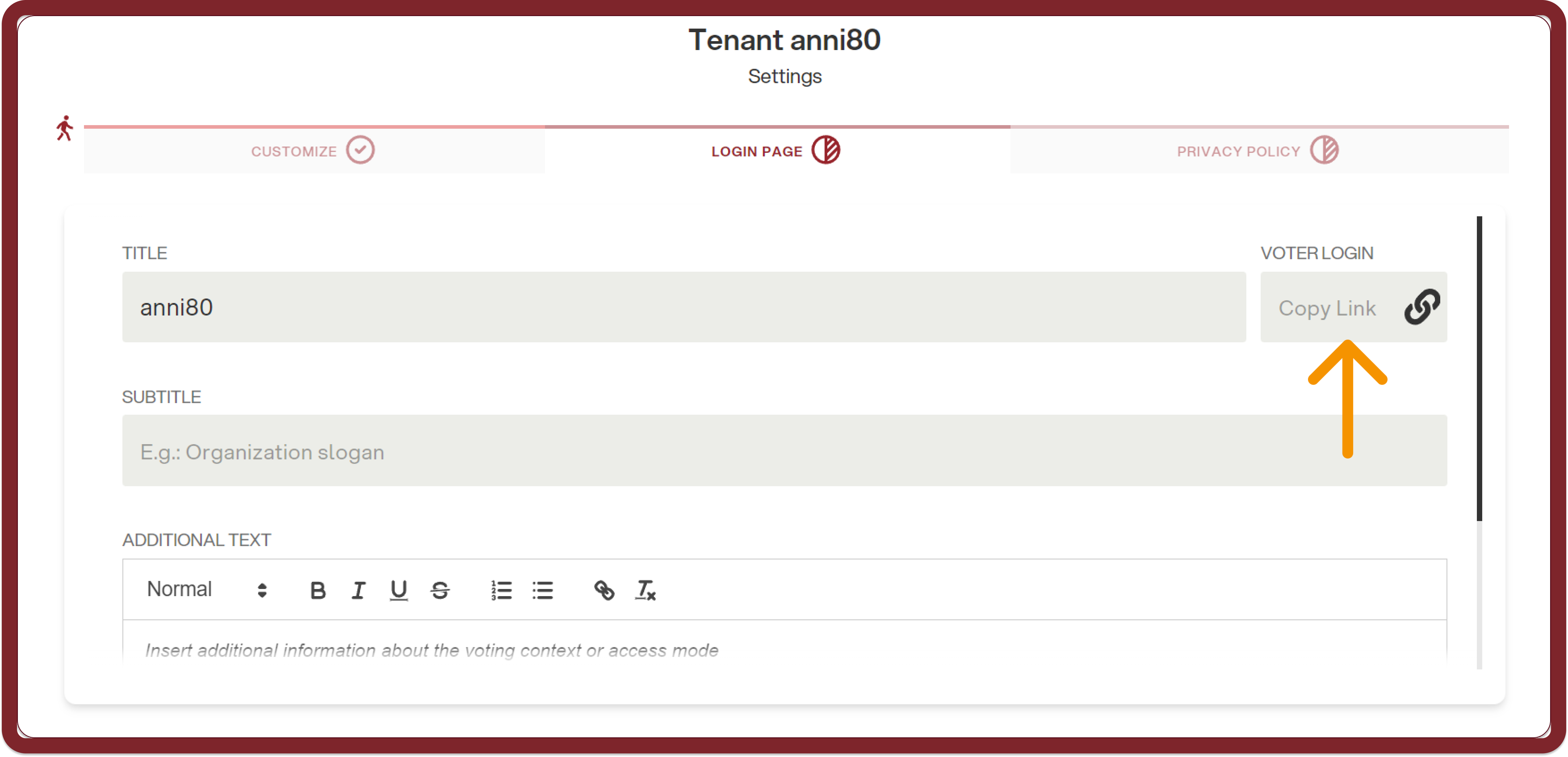
The link will be copied and can be shared with all participants in the vote.
All links will have the following structure:
https://eligonext.evoting.it/[portal]_[votingarea]/
2. Link to share with backoffice users
If there are backoffice users to be enabled in the voting area (such as administrators, observers, etc.), they must be added by assigning them the correct role. After that, the access link must be shared with them.
The link is the one provided by the portal administrator and is different from the links intended for voters.
An example is shown below:
https://eligonext-backoffice.evoting.it/[portal]