![eligo_logo-bicolor-1.png]](https://support.eligo.social/hs-fs/hubfs/eligo_logo-bicolor-1.png?height=38&name=eligo_logo-bicolor-1.png)
General configuration
The basic configuration of the registry data and participants follows the same procedure as electoral events.
The main difference lies in the management of quorums and in the data displayed in the management dashboard, which takes into account the dual nature of the vote (numerical and weighted).
Attendance and turnout monitoring
During the assembly, the system provides a complete overview of the audience through two separate counters available in the management dashboard:
- Eligible participants counter: indicates the physical number of people who have logged in or are present.
- Weight counter: indicates the total weighted value represented by the participants present.
The two counters can be displayed by clicking on the appropriate counter (headcount/weighted).
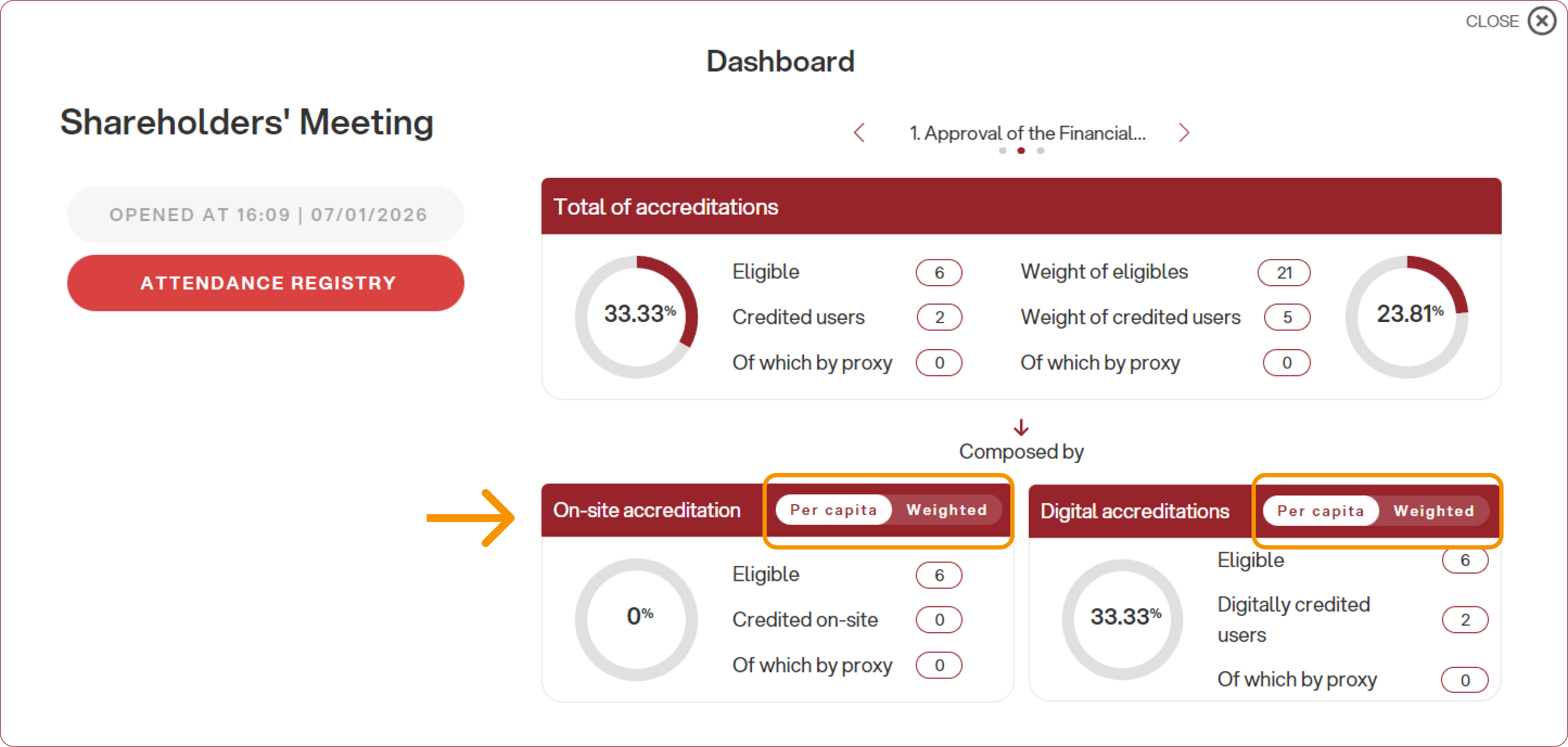
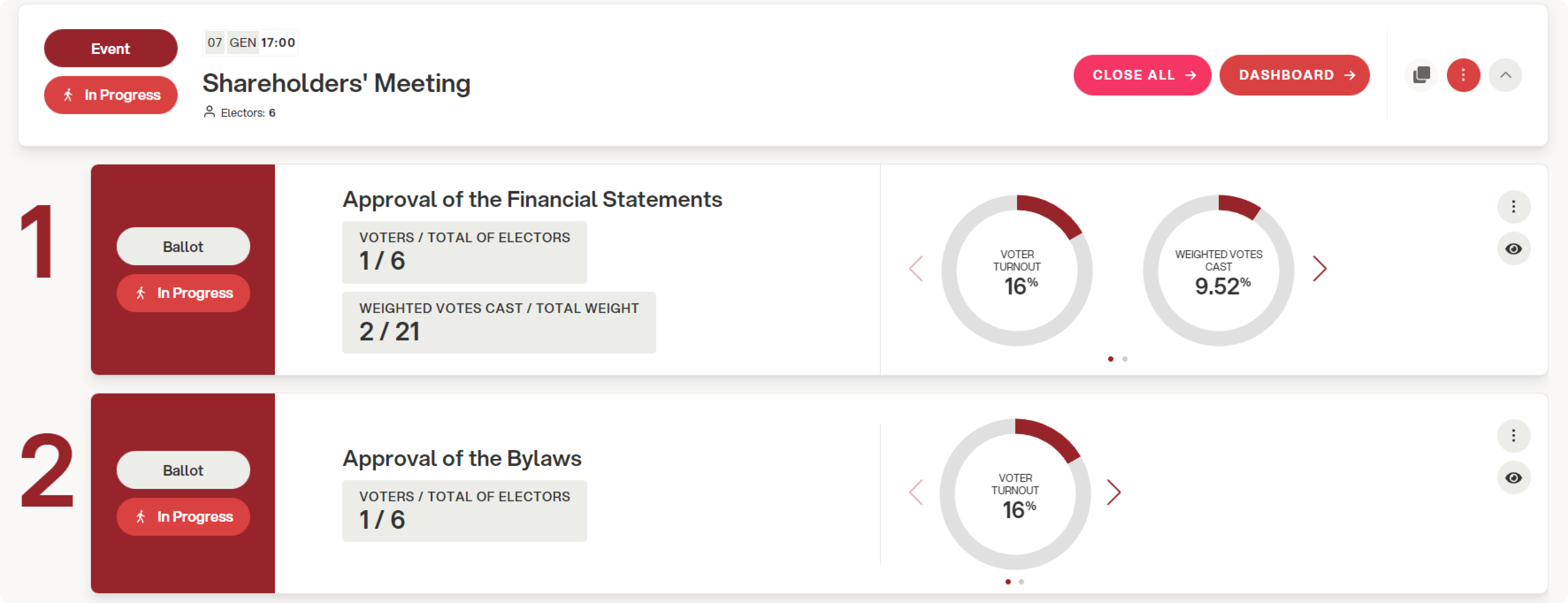
This dual view is available both for monitoring attendance at the assembly and for monitoring voting turnout.
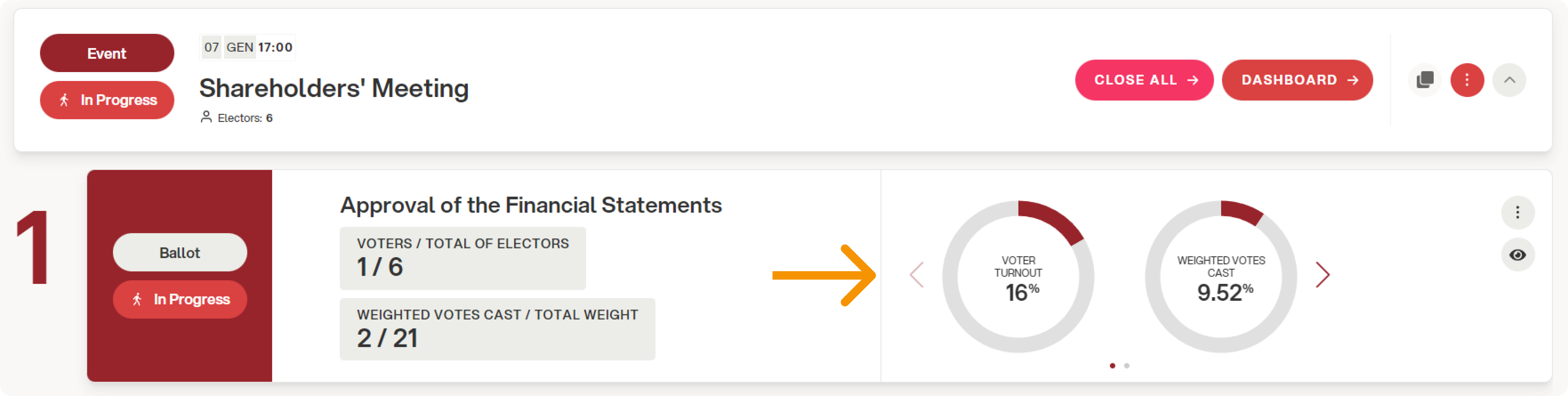
Ballot management
Weighted voting is managed at the individual ballot level.
This means that within the same event you can have:
- Ballot A: Weighted voting (e.g. approval of financial statements based on proportional shares).
- Ballot B: Non-weighted voting or voting with different weights.