![eligo_logo-bicolor-1.png]](https://support.eligo.social/hs-fs/hubfs/eligo_logo-bicolor-1.png?height=38&name=eligo_logo-bicolor-1.png)
It is possible to upload candidate photos and list logos directly from the Excel file used to import candidates and lists into Eligo, using a Base64 string, by following this procedure:
1. Download the Eligo template with candidates/lists and candidates
2. Add a new column (or two, depending on the case), which must be named:
-
PHOTO for candidate photos;
-
PHOTOLIST for list logos

3. Upload the image to a website that converts it into Base64 format in order to obtain the corresponding text string.
-
Both PNG and JPG formats are supported;
-
The larger the image, the longer the Base64 string will be; it is therefore recommended that the image size does not exceed 80x80 px;
-
The first part of the generated string is the same for all images.
4. Copy the generated string into the corresponding column: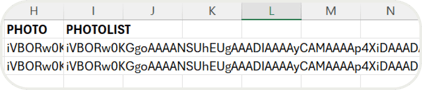
For the PHOTOLIST column, the string can be entered only in the first row, so it is not necessary to repeat it for all candidates belonging to that list.
5. Finally, proceed with uploading the file into Eligo, where the uploaded images will appear.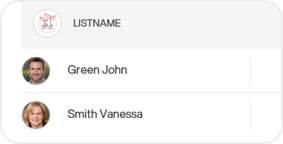
⚠️ Images will not be imported again if the event is cloned; in this case, the Excel file will need to be uploaded again.
For further information, see the articles on uploading candidates, and on uploading lists and candidates.